


Ubiquiti
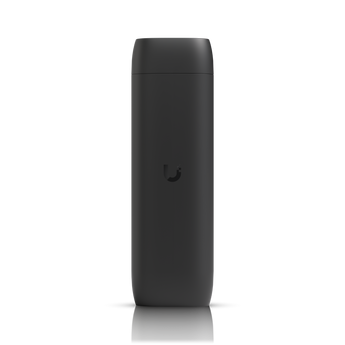
Ubiquiti UniFi Protect Viewport


Couldn't load pickup availability
Stream Your UniFi Protect Cameras in Stunning 4K
The Ubiquiti UniFi Protect Viewport provides a seamless and dedicated way to view your UniFi Protect camera feeds on an HDMI display. This compact and powerful device is engineered for high-performance surveillance monitoring, allowing you to display up to 16 of your IP cameras simultaneously in a customizable matrix configuration. Experience crystal-clear video output with support for resolutions up to 4K at 30 frames per second, ensuring you never miss a critical detail.
Effortless Setup and Management
Designed for simplicity, the UniFi Protect Viewport is incredibly easy to set up and manage through the UniFi Protect system. Powered by 802.3af Power over Ethernet (PoE), the device connects to your local network and your display with a single Ethernet cable for both power and data, eliminating the need for a separate power adapter. Its Gigabit Ethernet port ensures a stable and high-speed connection for reliable video streaming.
Robust Performance and Sleek Design
At the heart of the Viewport is a powerful Qualcomm° QCS605 SoC and 4GB of LPDDR4X memory, delivering smooth and responsive performance. The device is housed in a durable polycarbonate enclosure and comes with a versatile TV mount for flexible installation. With its compact and discreet design, the UniFi Protect Viewport seamlessly integrates into any professional or home environment.
| Mechanical | |
|---|---|
| Dimensions | 157 x 52 x 37 mm (6.2 x 2.1 x 1.5") |
| Weight | Without mount: 230 g (8.1 oz) With TV mount: 252 g (8.9 oz) |
| Enclosure Material | Polycarbonate |
| Mount Material | Polycarbonate |
| Hardware | |
| Processor | Qualcomm° QCS605 SoC |
| Memory | 4GB Low Power DDR4X |
| Networking Interface | (1) GbE RJ45 port |
| Power Method | 802.3af PoE |
| Max. Power Consumption | 9.5W |
| ESD/EMP Protection | Air: ° 8kV, Contact: ° 4kV |
| Bluetooth | 5.0 |
| Button | Factory Reset |
| Software | |
| Management Interface | UniFi Protect |
| Application Requirements | Web: UniFi Protect, Mobile: UniFi Protect for iOS™ and Android™ |
| Environmental | |
| Operating Temperature | 0 to 40° C (32 to 104° F) |
| Operating Humidity | 20 to 80% Noncondensing |
| Certifications | |
| Certifications | FCC, IC, CE |
Manufacturer Technical Data
| Product Spec Sheet |
 Download Download |
|---|

Computer Accessories
Step Up Your Tech Game


Frequently Asked Questions
Answers to frequently asked questions
Does NexGen Computing conduct regular security audits?
Yes, we regularly conduct security audits and vulnerability assessments to identify and address potential security weaknesses, maintaining a high level of security and compliance with industry standards.
How can I stay informed about policy changes?
We reserve the right to update or modify our policies at any time. Changes will be posted on our website, and your continued use of our products and services constitutes acceptance of any changes.
Where can I find more information or ask additional questions?
For more information or assistance, please visit our website at www.nexgencomputing.co.za or contact us at support@nexgencomputing.co.za.
How does NexGen Computing handle shipping and delivery?
Orders are processed promptly, with delivery details provided at checkout. Tracking information will be emailed once your order ships.
What is the return and refund policy?
Refunds are typically issued for defective or incorrect items within 14 days of receipt. For detailed information, please refer to our Refund Policy.
Is my payment information secure?
Yes, all payments made on our site are processed securely on our domain using industry-standard security measures. Sensitive data, such as credit card numbers, are processed by PCI-compliant payment processors like Yoco, Paystack, and Peach Payments.


