

MikroTik
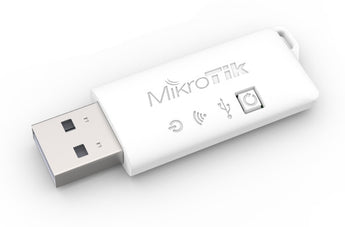
MikroTik Woobm out of band management

Couldn't load pickup availability
Wireless Out-of-Band Management for Any RouterBOARD
The MikroTik Woobm-USB is an essential tool for any network administrator, providing simple and effective out-of-band management for your RouterBOARD devices. Simply plug this compact USB stick into any RouterBOARD's USB port to instantly create a 2.4 GHz wireless access point. This allows you to connect to the device's console wirelessly, eliminating the need for serial cables and direct physical access. Manage your routers, troubleshoot issues, and perform configurations with a fully-featured terminal interface, all from a convenient web UI accessible from your laptop or mobile device.
Versatile Connectivity and Control
The Woobm-USB offers flexible operational modes to fit your network setup. Use it in its default Access Point mode for direct, on-site management of a single device. For managing multiple devices in a server room or data center, you can configure the Woobm-USB to act as a wireless client. Connect multiple Woobm units to a central access point and manage all your routers from a single location. The device also features the ability to discover neighboring RouterOS devices and allows for direct Telnet access from your PC to the host console, streamlining your workflow.
Plug-and-Play Simplicity
Getting started is incredibly easy. When you plug the Woobm-USB into a device, it automatically creates a wireless network with the SSID "WoobmAP". Connect to this network, navigate to the default IP address in your web browser, and you'll have immediate access to the web interface for configuration and the terminal. It's a straightforward, powerful solution for anyone who manages MikroTik hardware.
| Product Code | Woobm-USB |
| Architecture | ESP |
| CPU | ESP8266EX |
| Storage Size | 2 MB |
| Wireless 2.4 GHz Standards | 802.11b/g/n |
| Antenna Gain (dBi) for 2.4 GHz | 1.5 |
| USB Port Type | USB type A |
| Power Input Voltage | 5 V |
| Max Power Consumption | 0.55 W |
Manufacturer Technical Data
| Product Spec Sheet |
 Download Download |
|---|
Shipping & Returns
- R120 Delivery Fee
- 30 Day Returns
- 24 Hour Live Chat Support


Computer Accessories
Step Up Your Tech Game


Frequently Asked Questions
Answers to frequently asked questions
Does NexGen Computing conduct regular security audits?
Yes, we regularly conduct security audits and vulnerability assessments to identify and address potential security weaknesses, maintaining a high level of security and compliance with industry standards.
How can I stay informed about policy changes?
We reserve the right to update or modify our policies at any time. Changes will be posted on our website, and your continued use of our products and services constitutes acceptance of any changes.
Where can I find more information or ask additional questions?
For more information or assistance, please visit our website at www.nexgencomputing.co.za or contact us at support@nexgencomputing.co.za.
How does NexGen Computing handle shipping and delivery?
Orders are processed promptly, with delivery details provided at checkout. Tracking information will be emailed once your order ships.
What is the return and refund policy?
Refunds are typically issued for defective or incorrect items within 14 days of receipt. For detailed information, please refer to our Refund Policy.
Is my payment information secure?
Yes, all payments made on our site are processed securely on our domain using industry-standard security measures. Sensitive data, such as credit card numbers, are processed by PCI-compliant payment processors like Yoco, Paystack, and Peach Payments.

