

WONDERSHARE
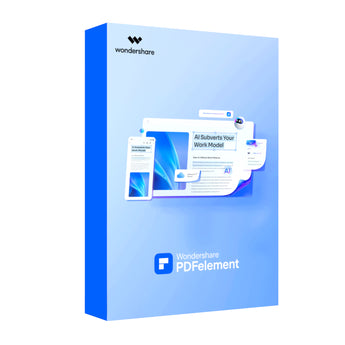
Wondershare PDFelement Pro PDF Editor for Mac (1-Year License)


Couldn't load pickup availability
All-in-One, AI-Powered PDF Solution
Unlock peak productivity with Wondershare PDFelement Professional for Mac, the ultimate all-in-one PDF solution designed to streamline your document workflows. Powered by advanced AI, this software offers a fast, affordable, and intuitive way to edit, convert, sign, and manage your PDF files. Whether you're a professional, student, or business, PDFelement provides the tools you need to handle documents with unparalleled efficiency, directly on your Mac.
Intelligent Editing and OCR
Experience seamless editing of text, images, and links directly within your PDFs. PDFelement's robust editing capabilities allow you to modify any element, from adding backgrounds and watermarks to adjusting fonts and images. The cutting-edge Optical Character Recognition (OCR) technology transforms scanned documents and images into fully editable and searchable text with high accuracy, supporting over 20 languages.
Effortless Conversion and Creation
Convert your PDFs to and from a wide array of formats, including Microsoft Word, Excel, PowerPoint, HTML, and various image files, without losing quality. The batch processing feature allows you to convert multiple files simultaneously, saving valuable time. You can also create high-quality PDFs from documents, images, or web pages with a single click.
Advanced AI and Productivity Tools
Boost your efficiency with integrated AI-powered features. Chat with your PDFs to summarize, rewrite, translate, and proofread content in an instant. The software also includes intelligent image editing, automated table recognition, and document comparison to identify differences between two versions. With 50 AI trial uses included, you can experience how this technology enhances your productivity.
Secure, Collaborate, and Sign
Protect your sensitive information with robust security features, including password protection, redaction, and certified digital signatures. Collaborate effectively with a full suite of annotation tools like highlighting, stamps, comments, and sticky notes. The software includes 20GB of secure cloud storage, allowing you to access and share your documents from anywhere, across your devices.
Comprehensive Specifications
| Feature Category | Details |
| License & Platform | Individual Annual License for macOS |
| Core Capabilities | Edit, Convert, Create, Annotate, Secure, Sign, and Organize PDFs |
| AI Features | Chat with PDF, Summarize, Rewrite, Proofread, Translate, AI Content Detection, Intelligent Image Editing (50 trial uses included) |
| Editing | Edit text, images, links. Add watermarks, backgrounds, headers & footers, Bates numbering. |
| OCR (Optical Character Recognition) | Convert scanned PDFs into editable and searchable text. Supports over 20 languages. |
| Conversion Formats | To: Word, Excel, PowerPoint, Pages, EPUB, RTF, HTML, Text, and Image (JPG, PNG, TIFF, BMP, GIF). From: Documents, Images, Webpages. |
| Forms | Create fillable forms, automatic form recognition, data extraction, XFA support. |
| Security | Password Protection, Redaction, Certified Digital Signatures, Remove Hidden Data. |
| Collaboration & Review | Annotations, Comments, Stamps, Highlighting, Sticky Notes, Drawing Tools, Document Comparison. |
| Productivity Tools | Batch Processing, File Compression, Page Organization (Rotate, Split, Crop, Extract), Scrolling Screenshot. |
| Cloud Storage | 20GB PDFelement Cloud storage included. |
| System Requirements |
Operating System: macOS 10.15 or later (Compatible with Apple Silicon). Processor: Intel Pentium 4 or higher. RAM: 512 MB (1GB Recommended). Hard Disk Space: 1.5GB of free space. |
Manufacturer Technical Data
| Product Spec Sheet | Not available for this product |
|---|

Computer Accessories
Step Up Your Tech Game


Frequently Asked Questions
Answers to frequently asked questions
Does NexGen Computing conduct regular security audits?
Yes, we regularly conduct security audits and vulnerability assessments to identify and address potential security weaknesses, maintaining a high level of security and compliance with industry standards.
How can I stay informed about policy changes?
We reserve the right to update or modify our policies at any time. Changes will be posted on our website, and your continued use of our products and services constitutes acceptance of any changes.
Where can I find more information or ask additional questions?
For more information or assistance, please visit our website at www.nexgencomputing.co.za or contact us at support@nexgencomputing.co.za.
How does NexGen Computing handle shipping and delivery?
Orders are processed promptly, with delivery details provided at checkout. Tracking information will be emailed once your order ships.
What is the return and refund policy?
Refunds are typically issued for defective or incorrect items within 14 days of receipt. For detailed information, please refer to our Refund Policy.
Is my payment information secure?
Yes, all payments made on our site are processed securely on our domain using industry-standard security measures. Sensitive data, such as credit card numbers, are processed by PCI-compliant payment processors like Yoco, Paystack, and Peach Payments.


)